
Lock me in until I’ve written more words.

Click the number to type your own, or press ↑↓ to change it by 50.Tap the number to type your own.

500 a day is a 15,000-word draft in a month.

Ekagrata is a writing app for Mac, iPad and iPhone. Pick a number, and the page stays locked until you’ve written it. On a Mac, every other app disappears too. Then five stages take your draft to the version you hand in.

  • Mac
  • iPad
  • iPhone
  • Web
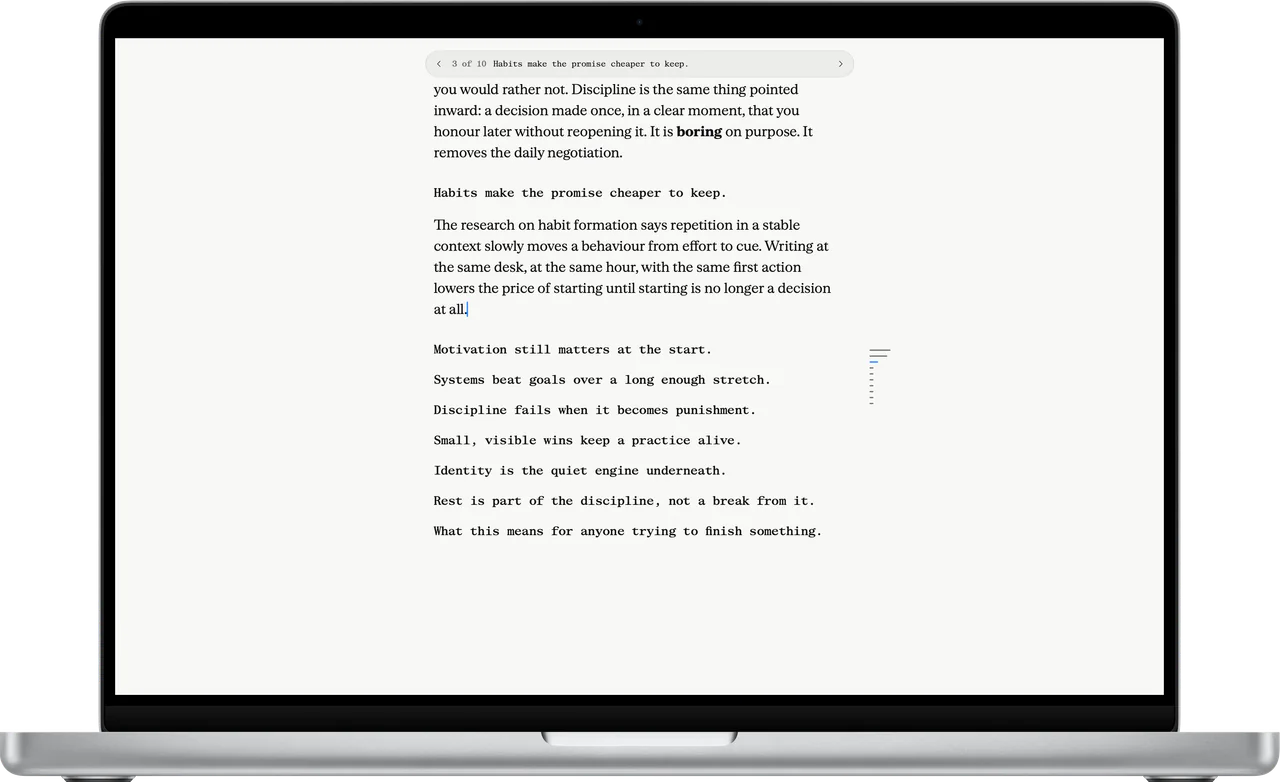
Ekagrata’s locked page full screen on a MacBook Pro: one paragraph of an essay and the topic sentences still to write, with nothing else on screen.

Ekagrata for Mac

Every other app waits until you’re done.

The lock is the reason Ekagrata exists. You set the goal before you start, and your Mac holds you to it.

  1. Pick a number.

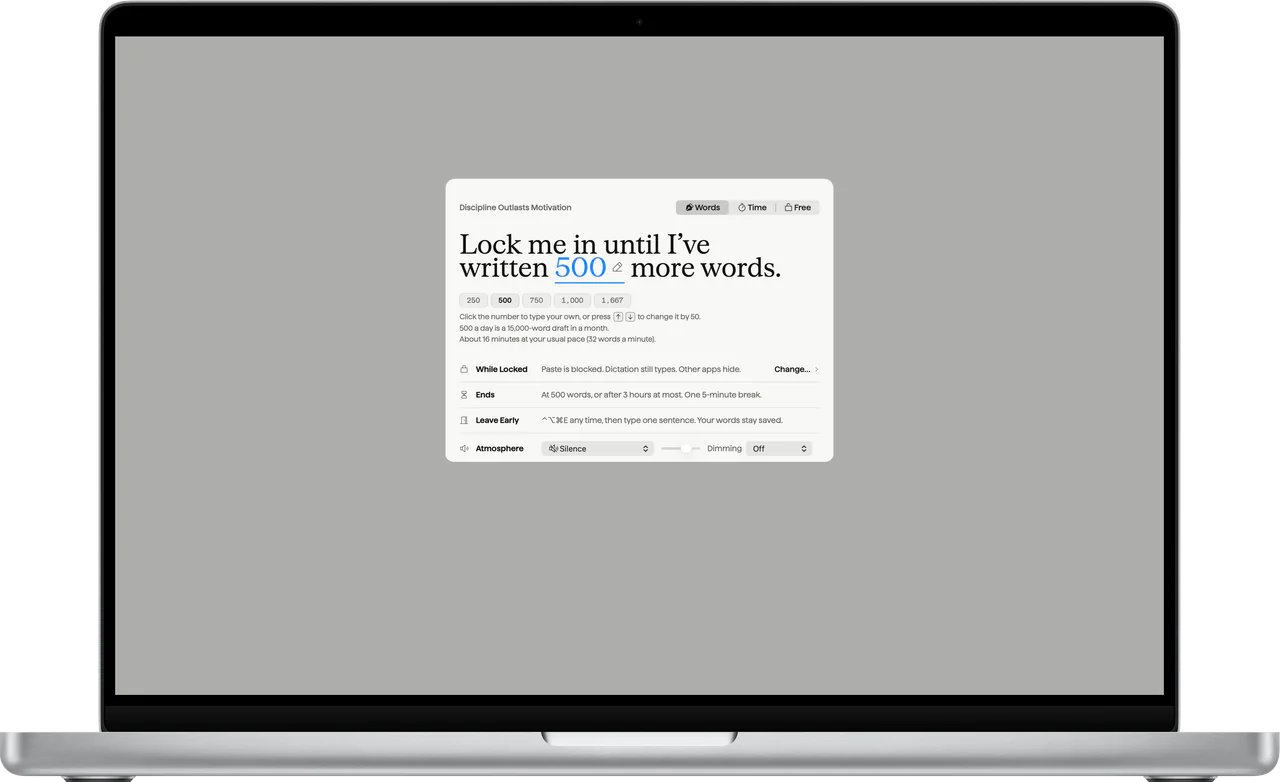
    Words, minutes, or full screen with no lock at all. The sheet tells you what the number adds up to before you start: 500 a day is a 15,000-word draft in a month.

    The Lock In sheet on a MacBook Pro: Lock me in until I’ve written 500 more words, presets from 250 to 1,667, and the line 500 a day is a 15,000-word draft in a month.
  2. The page is all there is.

    The Dock and the menu bar disappear. App switching and Force Quit are off, and anything that comes forward is hidden again. Paste is blocked, and your dictation app is left alone.

    The status pills while locked: 142 written of 500, 14 minutes in, 10:00 AM, battery 100 percent.
    Ekagrata’s locked page full screen on a MacBook Pro: one paragraph of an essay and the topic sentences still to write, with nothing else on screen.
  3. It ends when you’ve written it.

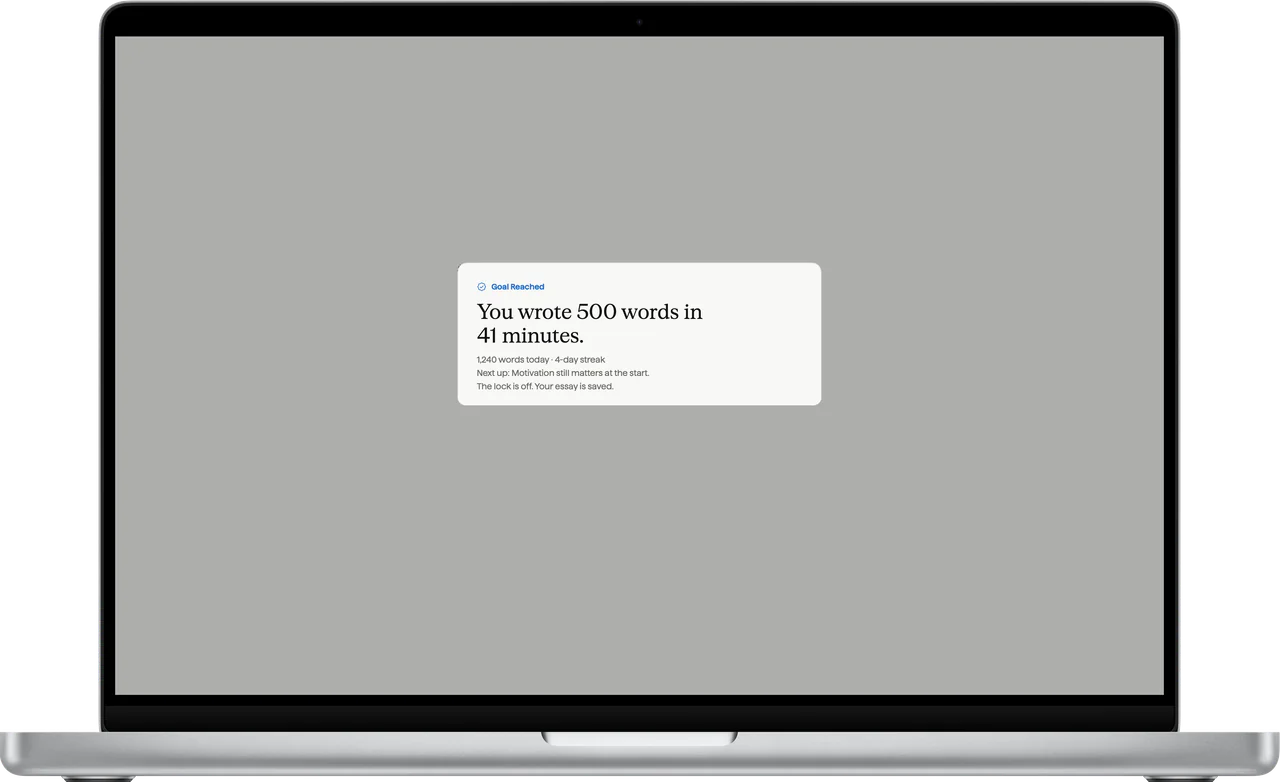
    At your number, the lock lets go and Goal Reached shows what you wrote. One five-minute break per session, by default. Your words save as you write.

    Goal Reached on a MacBook Pro: You wrote 500 words in 41 minutes. 1,240 words today, a 4-day streak, and the next topic.
The Lock In sheet on a MacBook Pro: Lock me in until I’ve written 500 more words, presets from 250 to 1,667, and the line 500 a day is a 15,000-word draft in a month.
Ekagrata’s locked page full screen on a MacBook Pro: one paragraph of an essay and the topic sentences still to write, with nothing else on screen.
Goal Reached on a MacBook Pro: You wrote 500 words in 41 minutes. 1,240 words today, a 4-day streak, and the next topic.
  • 0.55s

    for an app that sneaks forward to be hidden again.

  • 42of42

    checks passed in a live lock test, Strict Lock included.

  • 2,087

    automated self-test checks passed on the same version.

Live lock test on 10 Oct 2026: version 2.4.2 of the Mac app, on a MacBook Pro running macOS 27.

  • Quitting is refused while you’re locked in. So is hiding Ekagrata and logging out.

  • Leave early with ⌃⌥⌘E. Then type the sentence it shows, with a new four-digit code every time.

  • ⇧⌘L opens the Lock In sheet. Return starts the lock. Nothing locks until you press it.

Outline, Write, Rewrite, Reorder, Read. One job at a time.

Most drafts stall when you outline, write and edit in the same breath. Ekagrata gives each job its own stage, and ⌘1 to ⌘5 move between them.

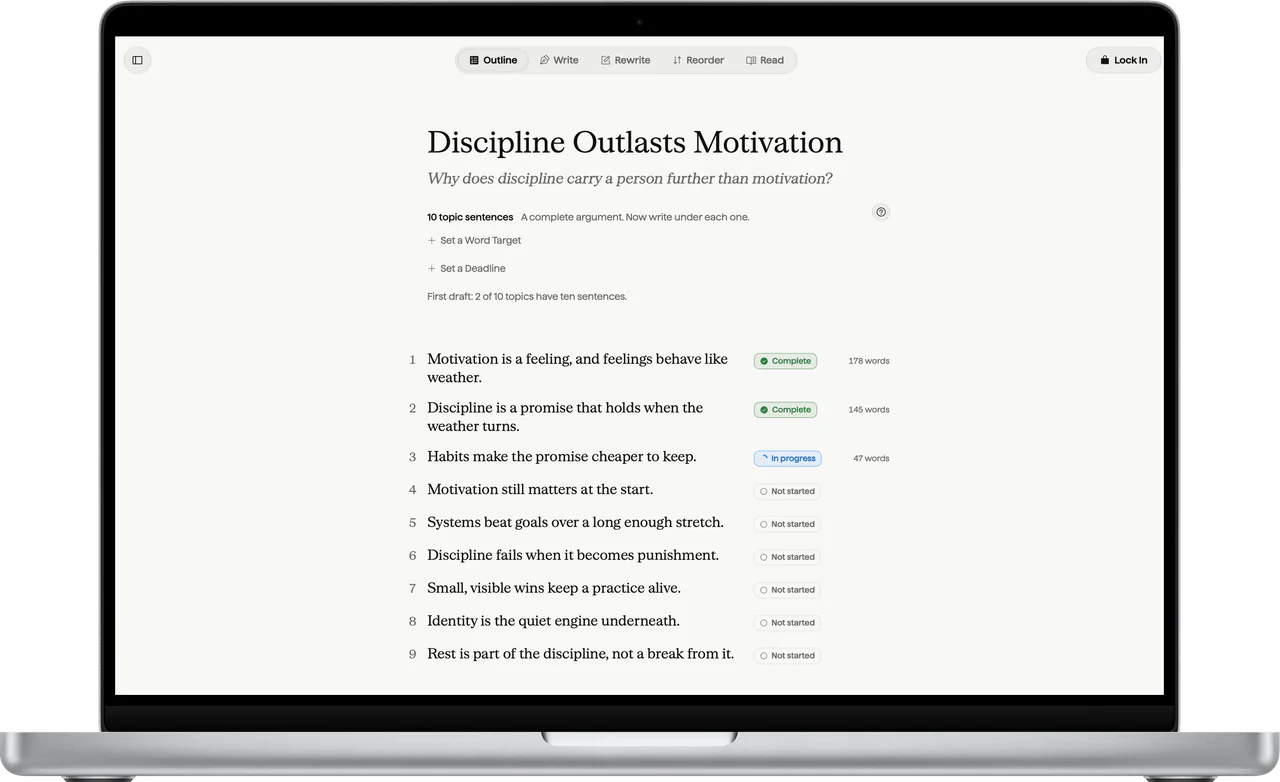
Outline on a MacBook Pro: the essay’s title, its question, and ten topic sentences, each with its status and word count.
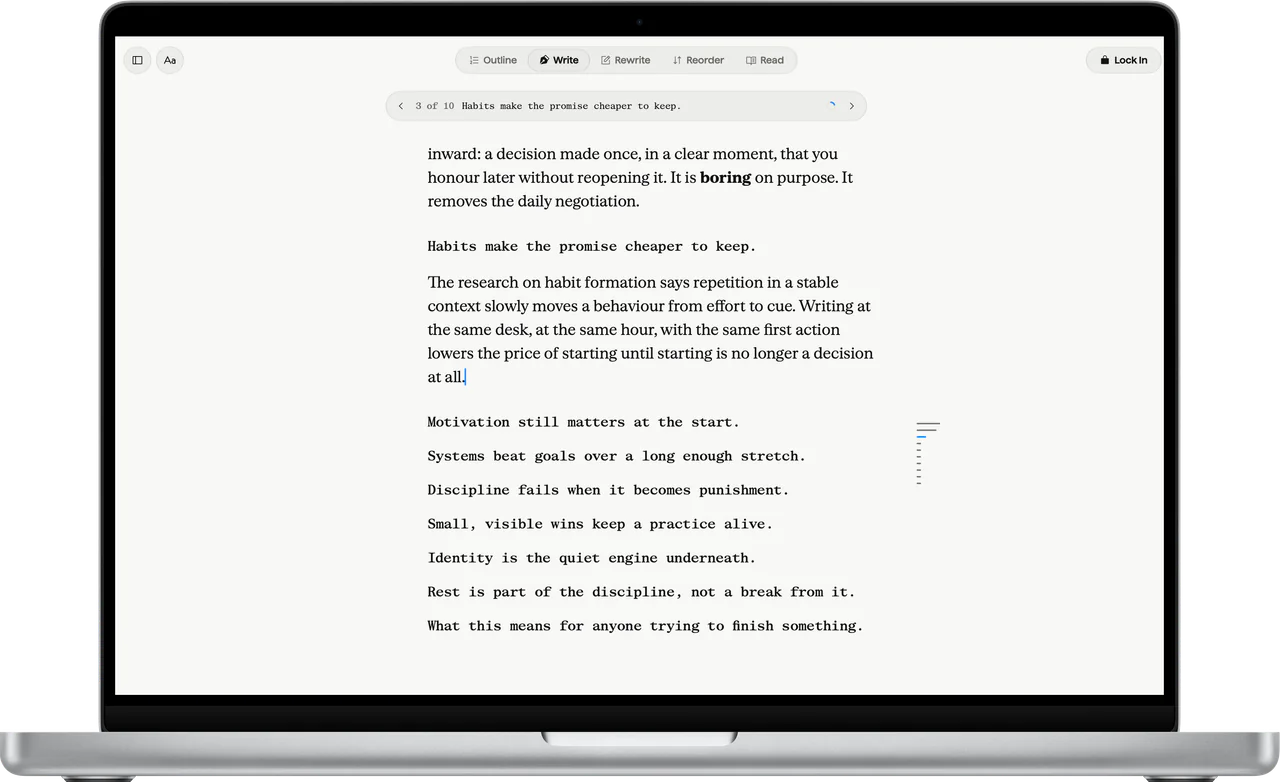
Write on a MacBook Pro: the essay under its topic sentences, with the current topic shown in a capsule at the top.
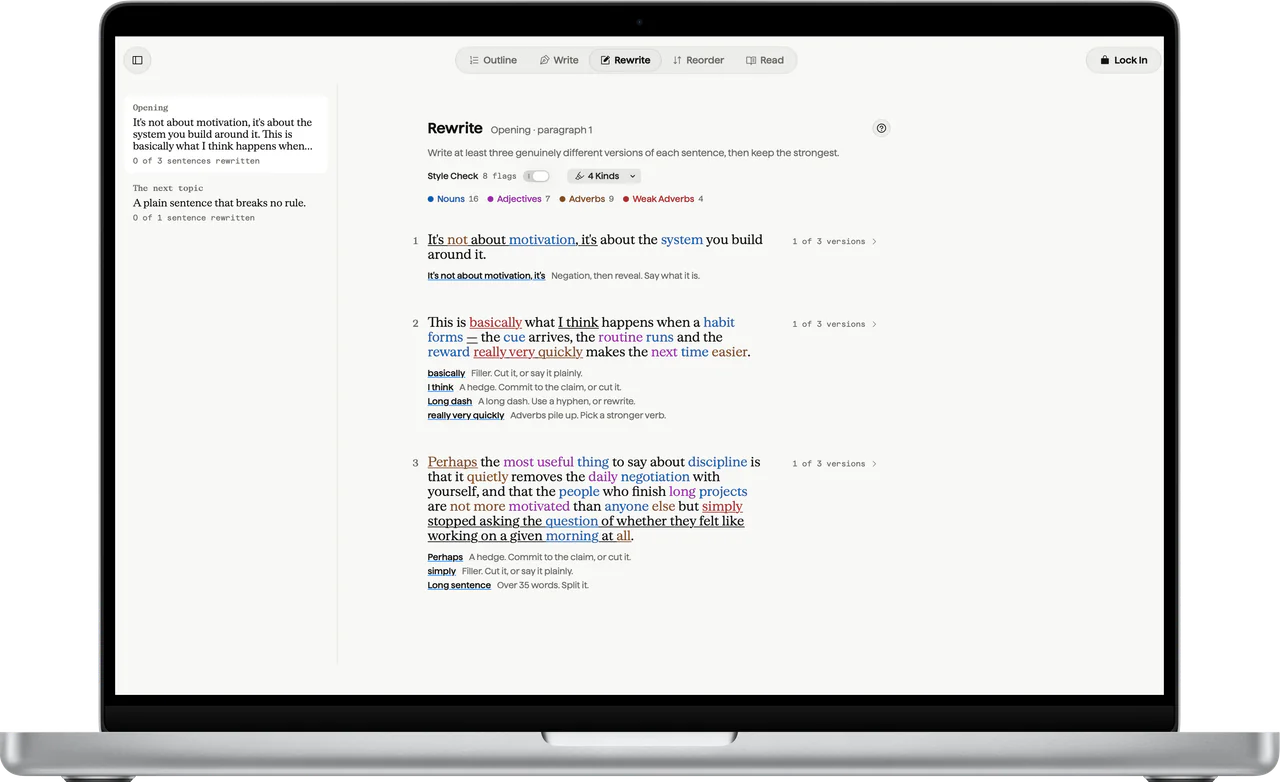
Rewrite, with Style Check on, on a MacBook Pro: three sentences, their words colored by kind, and notes such as a hedge, filler, a long dash and a sentence over 35 words.
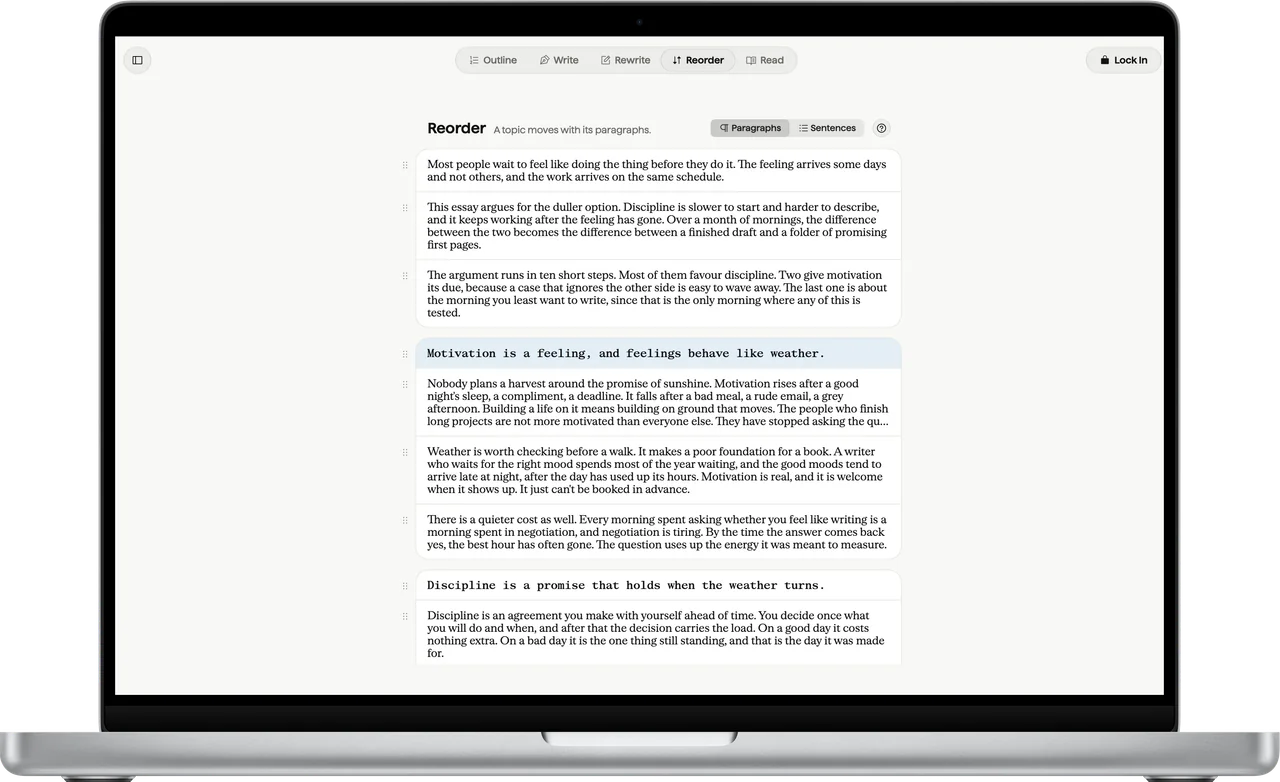
Reorder on a MacBook Pro: paragraphs under their topic sentences, ready to drag into a new order.
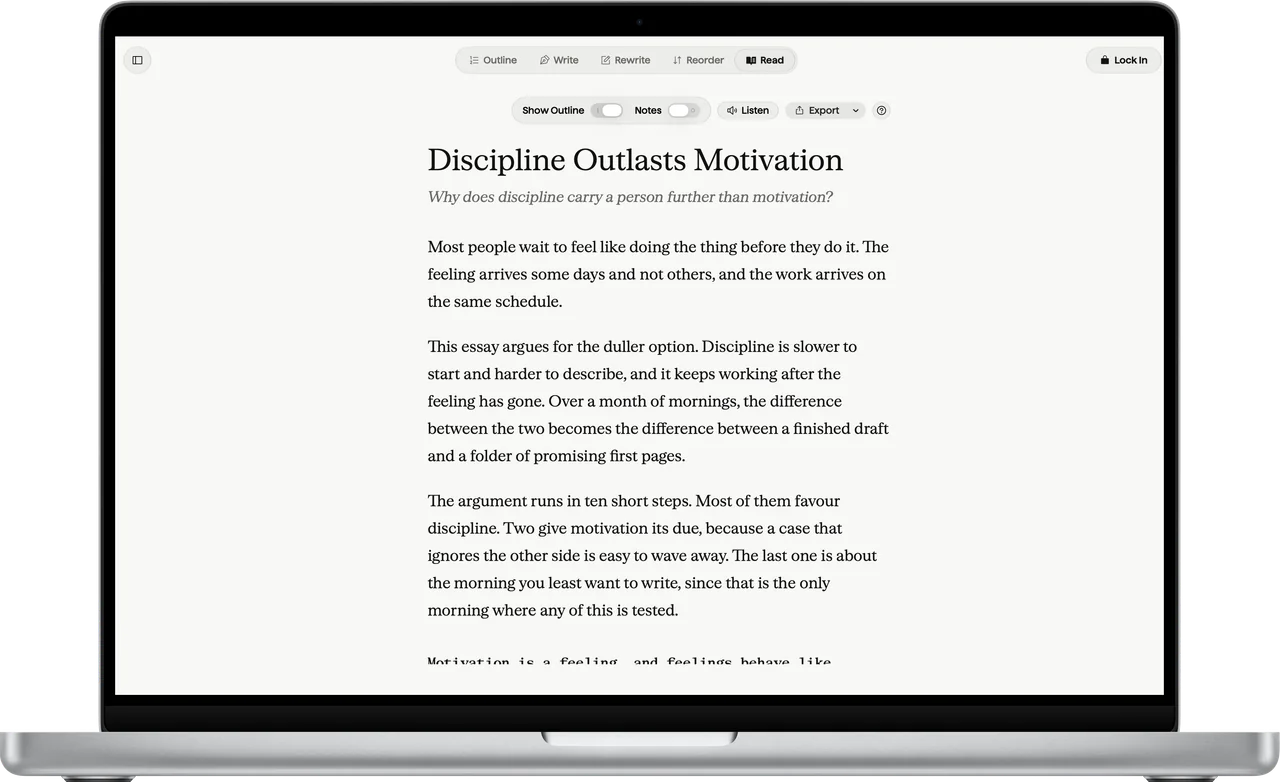
Read on a MacBook Pro: the essay as a reader gets it, with Show Outline, Notes, Listen and Export in the bar.

Outline ⌘ 1

Ten to fifteen topic sentences: the whole argument before a single paragraph. Each topic shows how much you’ve written under it.

Outline on a MacBook Pro: the essay’s title, its question, and ten topic sentences, each with its status and word count.

Write ⌘ 2

Write under each topic, fast. Nothing to fix yet: that’s what Rewrite is for. A capsule at the top shows the topic you’re under.

Write on a MacBook Pro: the essay under its topic sentences, with the current topic shown in a capsule at the top.

Rewrite ⌘ 3

One sentence at a time: write at least three versions and keep the strongest. Style Check marks filler, hedges and sentences over 35 words, and never touches your file.

Rewrite, with Style Check on, on a MacBook Pro: three sentences, their words colored by kind, and notes such as a hedge, filler, a long dash and a sentence over 35 words.

Reorder ⌘ 4

Drag paragraphs and topics until the argument flows. Cut lines go to Set Aside, never the bin.

Reorder on a MacBook Pro: paragraphs under their topic sentences, ready to drag into a new order.

Read ⌘ 5

Read it the way your reader will, then export to Markdown, Word or PDF.

Read on a MacBook Pro: the essay as a reader gets it, with Show Outline, Notes, Listen and Export in the bar.

The small things that keep you on the page.

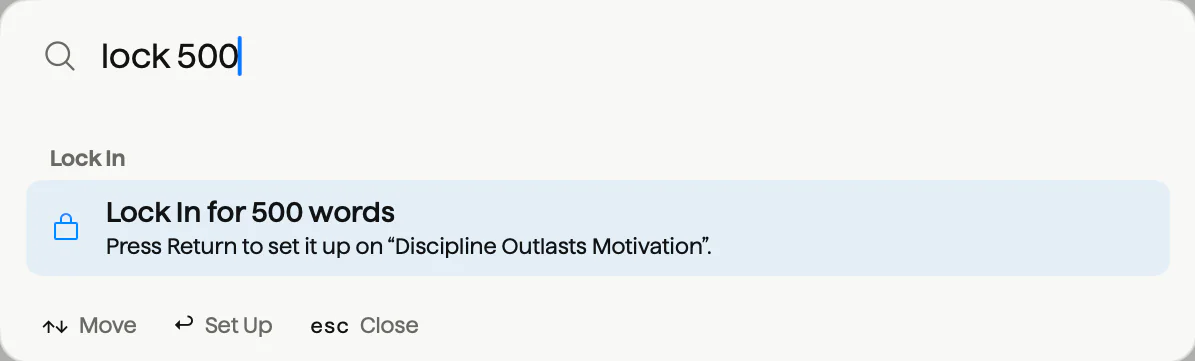
Find Anything with lock 500 typed, and a row that sets up a Lock In for 500 words.
⌘K finds anything. Type lock 500 and press Return: the Lock In sheet opens at 500, ready when you are.
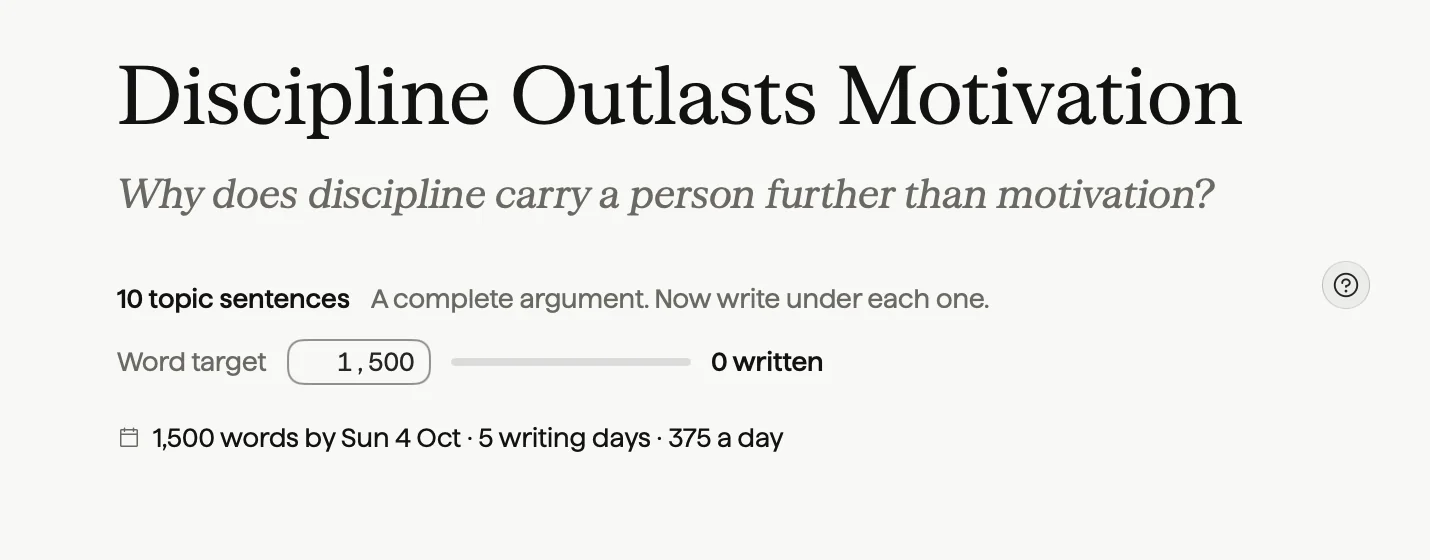
The Outline header with a deadline set: 1,500 words by Sun 4 Oct, 5 writing days, 375 a day.
Deadlines do the math. Set a due date and Ekagrata spreads what’s left over your writing days. In this example, 1,500 words due Sun 4 Oct becomes 375 a day over 5 writing days: the draft aims a quarter long, because Rewrite cuts it back.
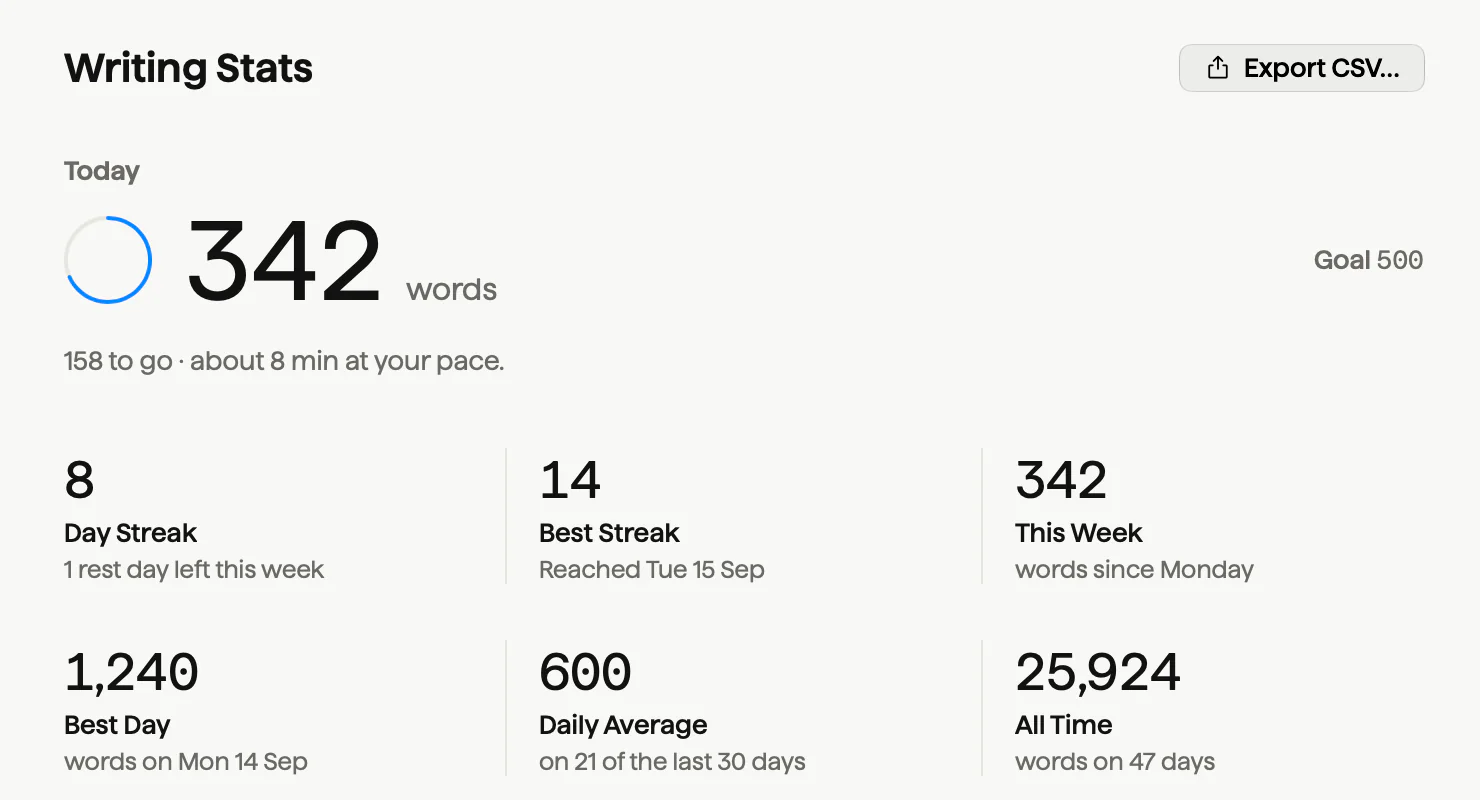
Writing Stats: 342 words today against a goal of 500, an 8-day streak, a best streak of 14 and 342 words this week.
Stats that answer real questions. Today against your goal, your streak, when you write best, your pace, and how often a lock reached its goal.
The Write stage in the theme that matches your Mac: Parchment in light mode, Carbon in dark mode.
Parchment by day, Carbon at night. Ekagrata follows your Mac’s light and dark setting, with six more themes when you want a change.

Ekagrata for iPad and iPhone

On iPad and iPhone, the page waits for you.

Pick a goal, like 500 words, and the page stays locked until you write them. Leave the app and the clock pauses until you’re back.

  • Paste is blocked while you’re locked in. Dictation still types, and on iPad, Scribble still writes.
  • Want it airtight? Ekagrata shows you how to seal the page with Guided Access.
  • On iPad, write by hand with Apple Pencil anywhere you type, keep several windows side by side, and switch stages with ⌘1 to ⌘5.
  • Sync through your own Google Drive. Ekagrata can see only the files it makes there.

Two separate apps, each a one-time purchase with every feature included. Both are coming to the App Store. See the prices

Ekagrata’s Lock In sheet on iPhone: Words, Time or Free, Lock me in until I’ve written 500 more words, presets from 250 to 1,667, and 500 a day is a 15,000-word draft in a month.
The foot of the locked page on iPhone: Backspace is off, keep moving forward. Triple-click the side button to seal it. 37 written of 500.
Outline on iPhone: the essay’s title and question, 10 topic sentences, a complete argument, 1,500 words with 273 written, and Set a Deadline.
Rewrite on iPhone: write at least three genuinely different versions of each sentence, then keep the strongest. Style Check is on, and the sentence has 2 of 3 versions.

Your essays are plain files you own.

Each one is a Markdown file. Open it in any editor, back it up however you already do, and keep it for as long as you like.

  • Plain .md files: in a folder you choose on a Mac, in the Files app on iPad and iPhone.
  • No account, no ads, no analytics, no tracking.
  • Works offline. Nothing you write leaves your device until you turn something on, like the assistant online or sync to your own Google Drive.
  • On a Mac, point the library at an Obsidian vault and your essays show up there too.
Discipline Outlasts Motivation.md
---
title: Discipline Outlasts Motivation
question: Why does discipline carry a person further than motivation?
---

Most people wait to feel like doing the thing before they do it…

## Motivation is a feeling, and feelings behave like weather.

Nobody plans a harvest around the promise of sunshine…

## Discipline is a promise that holds when the weather turns.

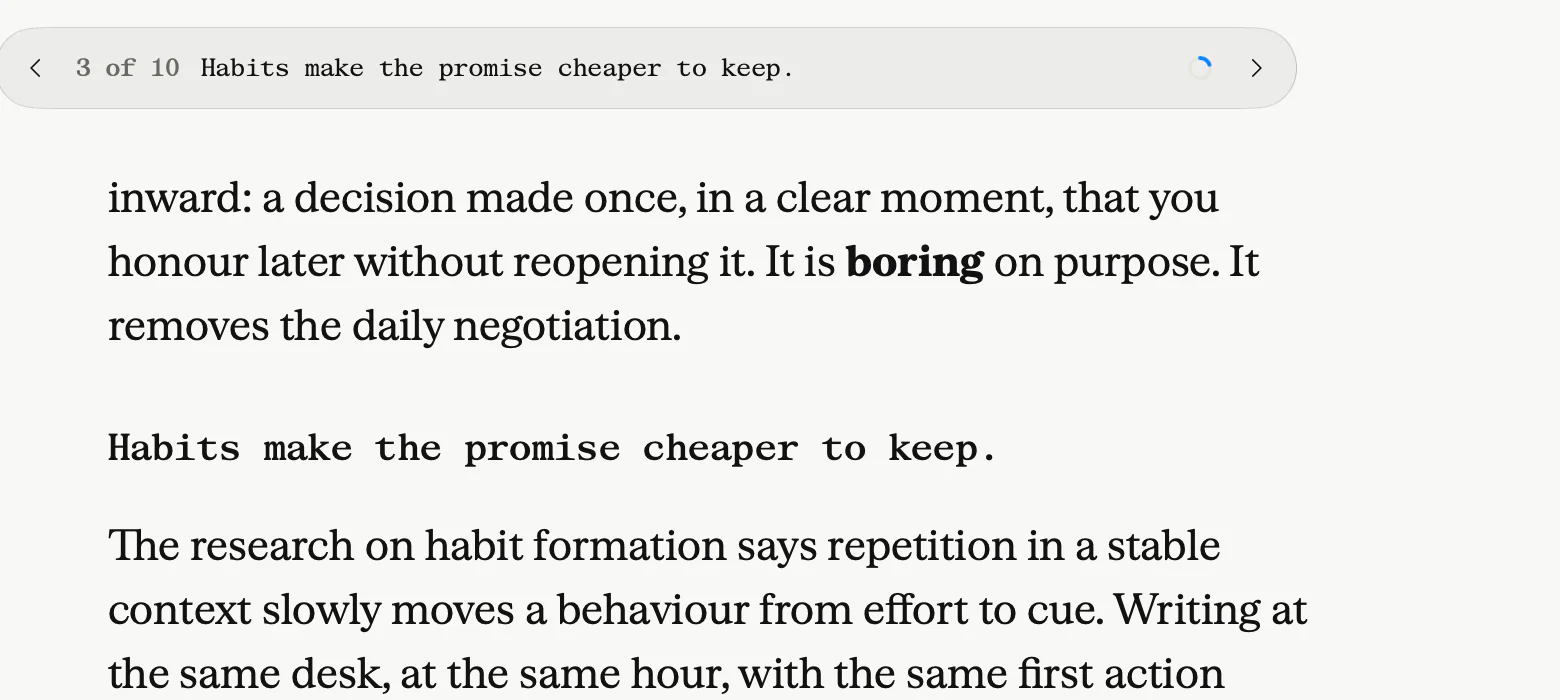
## Habits make the promise cheaper to keep.

Every ## line is a topic sentence in Outline. The file and the app are the same essay.

One payment per app. Every feature included.

On a Mac, the lock hides every other app. On iPad and iPhone, the page waits for you. In a browser, it goes full screen.

Ekagrata for Mac

The full lock

$1,000Lifetime, paid once

The Mac app, yours for good.

  • The Mac app with the full lock: every other app hidden until you’re done.
  • A product key for your Mac.
  • Your essays as Markdown files on your Mac.
  • One payment, no subscription.
  • A download signed by its maker and notarized by Apple.
  • For Macs with Apple silicon, on macOS 26 or later.

Request a Lifetime key

Onboarding

$5,000once

The Mac app and an hour with the person who made it.

  • Everything in Lifetime.
  • A 60-minute 1:1 call where Hardik walks you through every feature.

Hardik Dewra, who makes Ekagrata

Request the onboarding call

Ekagrata for iPad

$499.99once, on the App Store

Built for iPad.

  • Write by hand with Apple Pencil anywhere you type.
  • Several windows side by side, each on its own essay or stage.
  • Every feature included. Needs iPadOS 26 or later.

Coming to the App Store

Tell me when it’s out

Ekagrata for iPhone

$499.99once, on the App Store

Your essay in your pocket.

  • Widgets, a Live Activity, Siri and Shortcuts: start a lock in one tap.
  • Guided Access can seal the page.
  • Every feature included. Needs iOS 26 or later.

Coming to the App Store

Tell me when it’s out

Ekagrata Web

$49a month

Ekagrata in your browser.

  • Write in your browser, in the same Markdown as the Mac app.
  • Full screen in the tab. A browser can’t hide your other apps; that lock needs the Mac.
Request Web access

No payment today. For the Mac app, Onboarding and Web, request access and you’ll see the details, refund terms included, before anything is charged. iPad and iPhone are sold and refunded by Apple, on the App Store.

Questions to ask before you pay $1,000 for a writing app.

More answers on the support page.

Why does it cost $1,000 on a Mac, and $499.99 on iPad and iPhone?

Each price is one payment for the whole app, with every feature included and no subscription after it. On a Mac, that’s the lock that hides every other app, the five stages, Find Anything, deadlines and Stats, with your essays kept as plain files you own. Onboarding adds a 60-minute call with Hardik, who makes Ekagrata. If you’d rather pay by the month, Web is $49.

What if it’s not for me?

For the Mac app, Onboarding and Web, nothing is charged today: you request access first, and you’ll see the refund terms before you pay. iPad and iPhone are sold by Apple, so their refunds go through Apple at reportaproblem.apple.com.

Either way, your essays are plain Markdown files, so every word opens in any editor, with or without Ekagrata.

Can I get out of a lock if something urgent comes up?

Yes. On a Mac, press ⌃⌥⌘E and type the sentence Ekagrata shows you, with a new four-digit code every time. On iPad and iPhone, Leave Early is always there: type one sentence and you’re out, and by default a lock also ends by itself after 3 hours.

Your words are saved either way, and by default every session has one five-minute break.

How long does it take to learn?

A lock is one sheet: pick a number, then start. Each stage has a ? that explains its step, and the app opens with sample essays that show every stage with real text. On a Mac, ⌘K finds any command or setting by name. If you’d rather be shown, Onboarding is an hour with Hardik.

Where do my essays live?

On a Mac, in a folder you choose, as plain .md files. On iPad and iPhone, in the app’s folder in the Files app. Ekagrata keeps its own notes, like rewrite versions, in a hidden folder beside them, so the essays stay clean.

What changes between Mac, iPad, iPhone and Web?

The lock. On a Mac, every other app is hidden until you’re done, and Strict Lock, the menu bar and Spotlight come with it. On iPad and iPhone, leaving the app pauses the clock, and Guided Access can seal the page. In a browser, Ekagrata writes the same Markdown and goes full screen, but a browser can’t stop you opening another app.

Does dictation work while I’m locked in?

On iPad and iPhone, yes: paste is blocked, and dictation still types (Scribble too, on iPad). On a Mac, your dictation app keeps running during a lock, because Ekagrata leaves it alone, and by default the Lock In sheet lets dictated text through while it blocks paste.

Which devices does it run on?

Ekagrata for Mac runs on Macs with Apple silicon, on macOS 26 or later. Ekagrata for iPad needs iPadOS 26 or later, and Ekagrata for iPhone needs iOS 26 or later. Web runs in your browser.

Does it write for me?

It won’t write the essay. The assistant answers questions you’d otherwise leave the page for, and in Rewrite, Ask for Ideas offers three other ways to say a sentence you wrote. Only new writing counts toward a lock goal.

I bought it on iPhone. Do I get it on iPad?

Ekagrata for iPhone and Ekagrata for iPad are separate apps, each bought once on the App Store. Your essays move between them through Google Drive sync.

Who makes Ekagrata?

Hardik Dewra, an independent developer. He reads every message himself: admin@wedesignlandingpages.com.

Lock in your first 500 words.

Request access, choose how you want to write, and say what it’s for. Nothing is charged today.

What you want

Request received. Thank you.

Check the address: it needs an @ and a domain, like name@example.com.

That didn’t go through on our side. Try again in a minute.

Requests go to Hardik Dewra, who makes Ekagrata. How your request is kept